60. CFD Inputs and Boundary Conditions
The CFD Inputs page is a practical helper for preparing solver-side freestream and near-wall inputs. It does not write solver configuration files directly, but it calculates the values you typically need when setting up a case.
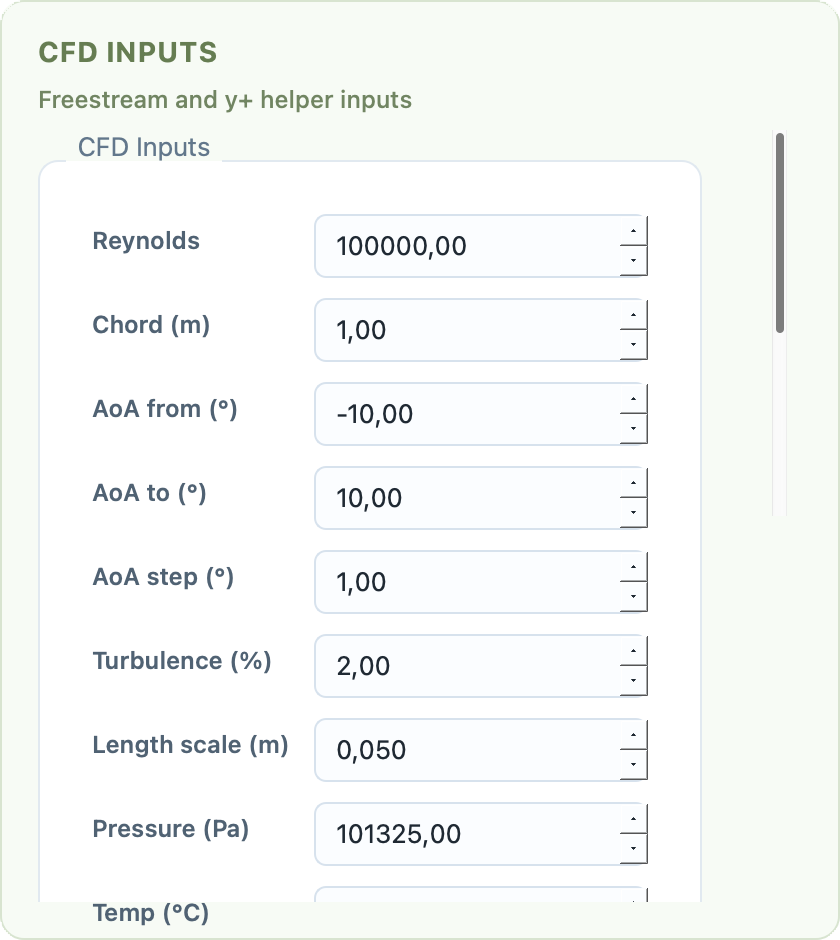
CFD Inputs page with freestream, turbulence, and wall-distance helpers.
61. Inputs
The page takes:
Reynolds number
chord length
angle-of-attack range and step
turbulence intensity
turbulence length scale
static pressure
temperature
target flat-plate
y+
62. Calculated Outputs
From these inputs, PyAero derives:
density
dynamic viscosity
kinematic viscosity
freestream velocity
uandvvelocity components over the selected angle-of-attack rangetarget first-cell wall distance for the selected
y+turbulence kinetic energy
This is especially useful when you are trying to align the near-wall mesh size with a target solver setup.
63. Copy Workflow
The results are shown in a text panel and can be copied to the clipboard. This makes the page convenient as a solver-prep scratchpad even though PyAero itself is not the CFD solver.
64. Typical Use
Use this page when:
you want a rough first-cell estimate before meshing
you want to translate a Reynolds target into a physical freestream velocity
you need quick
uandvcomponents for a sweep of angles of attackyou want a convenient copyable summary for a solver case setup