45. Making Meshes
After preparing the contour and optionally adding a finite-thickness trailing edge, the Mesh page is where PyAero turns the working geometry into a structured wind-tunnel mesh.
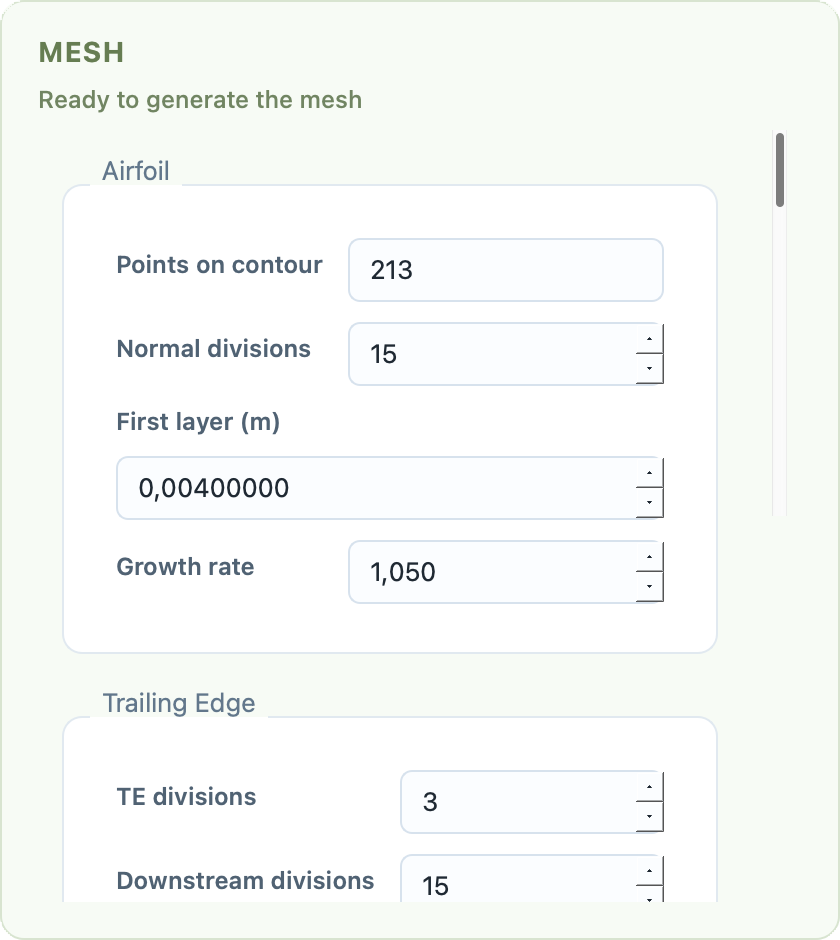
Mesh page with block settings, smoothing controls, and export options.
46. Mesh Layout
PyAero builds the final mesh from four logical blocks:
the near-airfoil block
the trailing-edge block
the outer tunnel block
the wake block
This layout makes it possible to tune the boundary-layer region, the trailing edge, the farfield, and the wake independently.
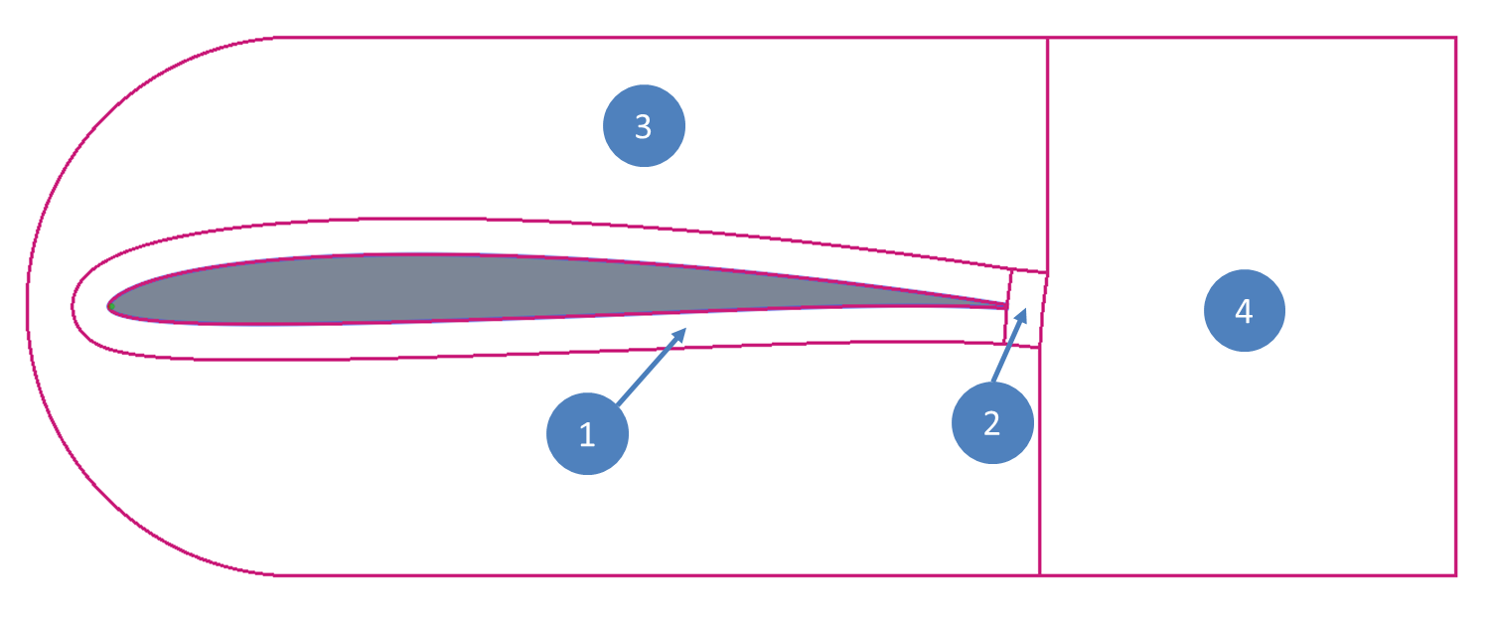
Block structure used by the structured tunnel mesh.
47. Airfoil Block
The airfoil block is the most important part of the mesh. It starts from the prepared contour and grows outward along local normals.
Its main controls are:
Points on contour
Normal divisions
First layer (m)
Growth rate
The point count is inherited from the prepared contour and shown mainly for reference. If you need a different count along the airfoil, change the preparation step first.
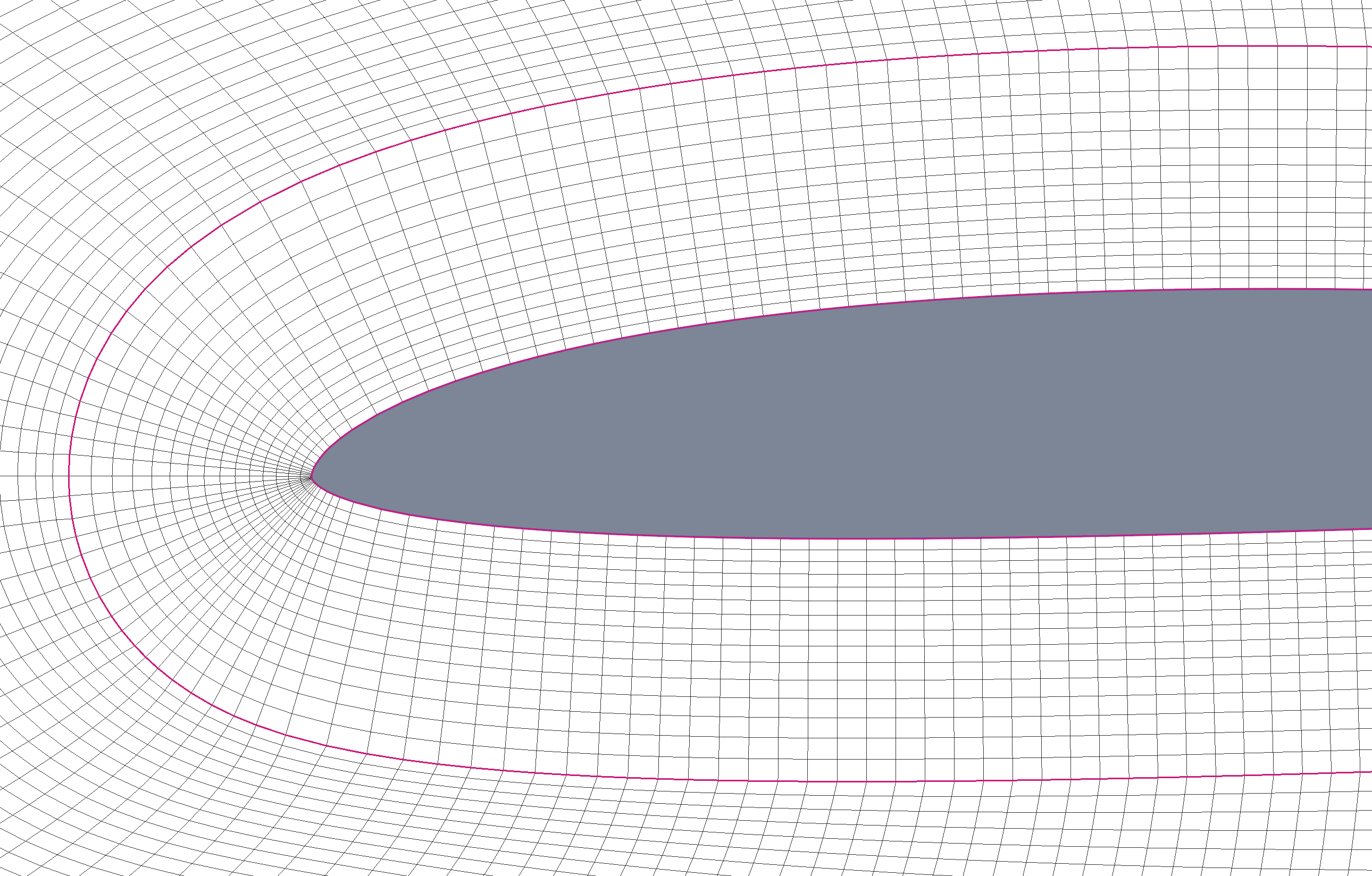
The structured near-airfoil block.
48. Trailing-Edge Block
The trailing-edge block resolves the downstream region directly behind the airfoil. It is especially important when a finite-thickness trailing edge is present.
Its controls are:
TE divisions
Downstream divisions
First layer (m)
Growth rate
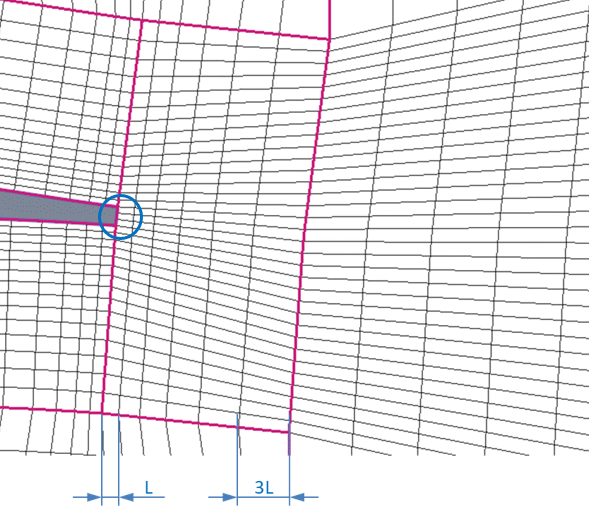
The trailing-edge block and its local resolution.
49. Tunnel Block
The tunnel block wraps the airfoil block and extends the mesh to the farfield boundary. It controls the tunnel height and the vertical distribution in the outer domain.
Main controls:
Tunnel height (c)
Height divisions
Thickness ratio
Bias
For strongly cambered airfoils, adjusting the bias can improve the outer block quality.
50. Wake Block
The wake block extends the tunnel downstream. It controls how far the domain continues beyond the trailing edge and how the downstream spacing evolves.
Main controls:
Wake length (c)
Wake divisions
Thickness ratio
Wake equalize (%)
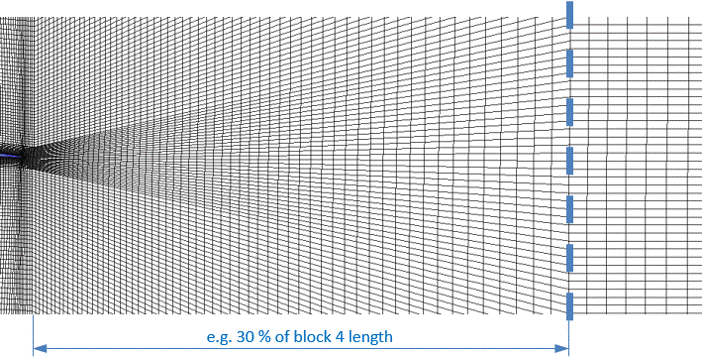
Wake equalization in the downstream block.
51. Smoothing
The current interface exposes three smoothing modes:
Simple
Elliptic
Angle based
The elliptic mode exposes the richest control set. In addition to iterations and tolerance, it includes advanced controls for:
outer-boundary sliding
elliptic relaxation
protected guide relaxation
protected guide layer count
protected guide decay
guide-profile smoothing
These controls are meant to preserve the interface between the near-airfoil region and the outer tunnel block while improving the quality of the outer mesh.
52. Mesh Export
Once the mesh is generated, the export section lets you:
define boundary names
choose one or more output formats
write the mesh files with one basename
Supported export formats are:
FLMASU2Gmsh.mshVTU
Boundary names are validated before export so blank or duplicate labels are rejected.
Generated files use a shared basename and the correct extension is appended automatically for each selected format.
53. Examples
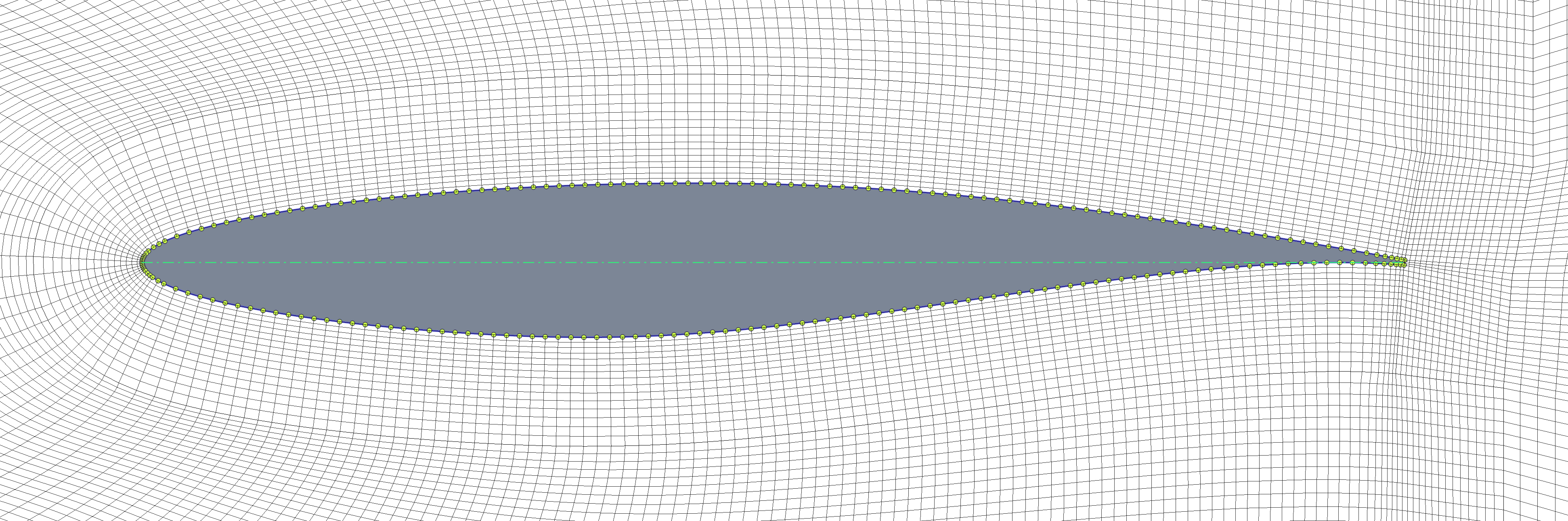
Example final mesh around RAE2822.
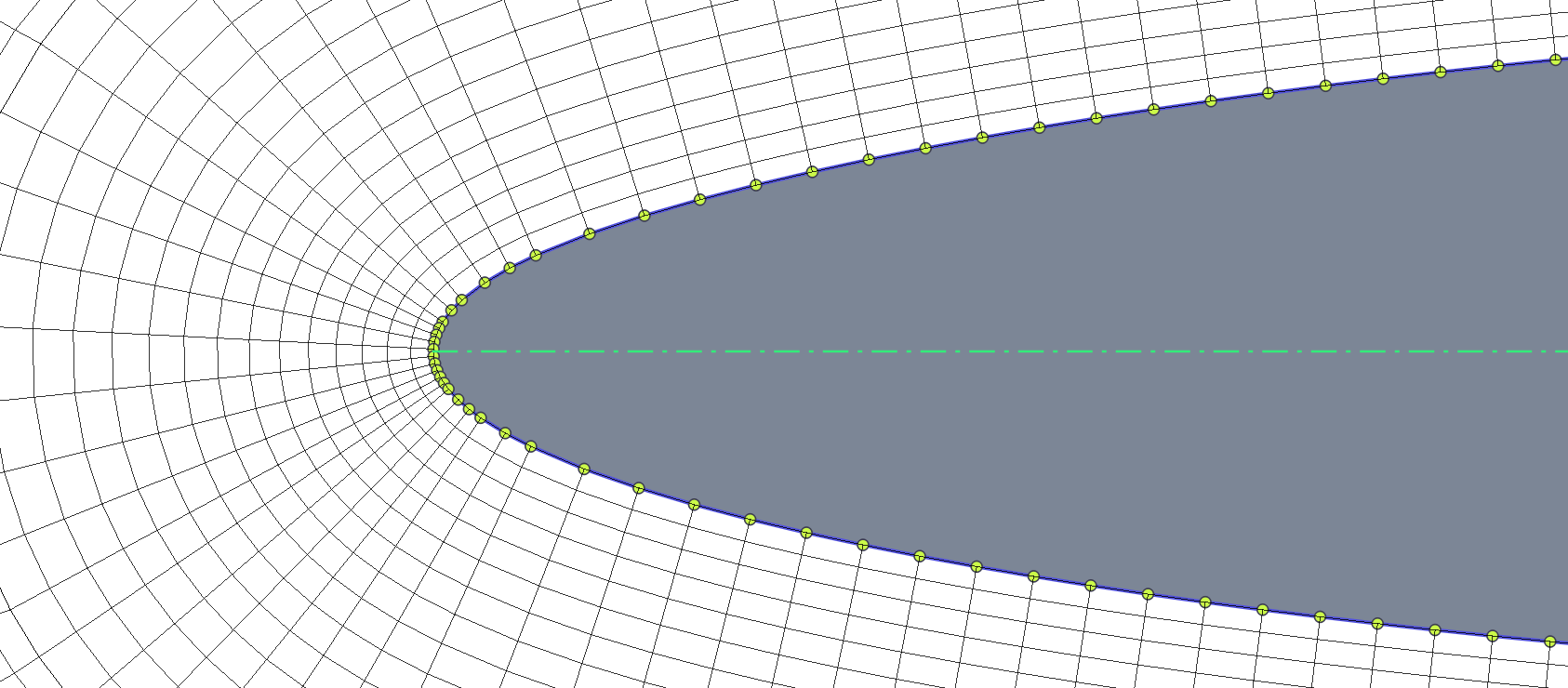
Leading-edge close-up.
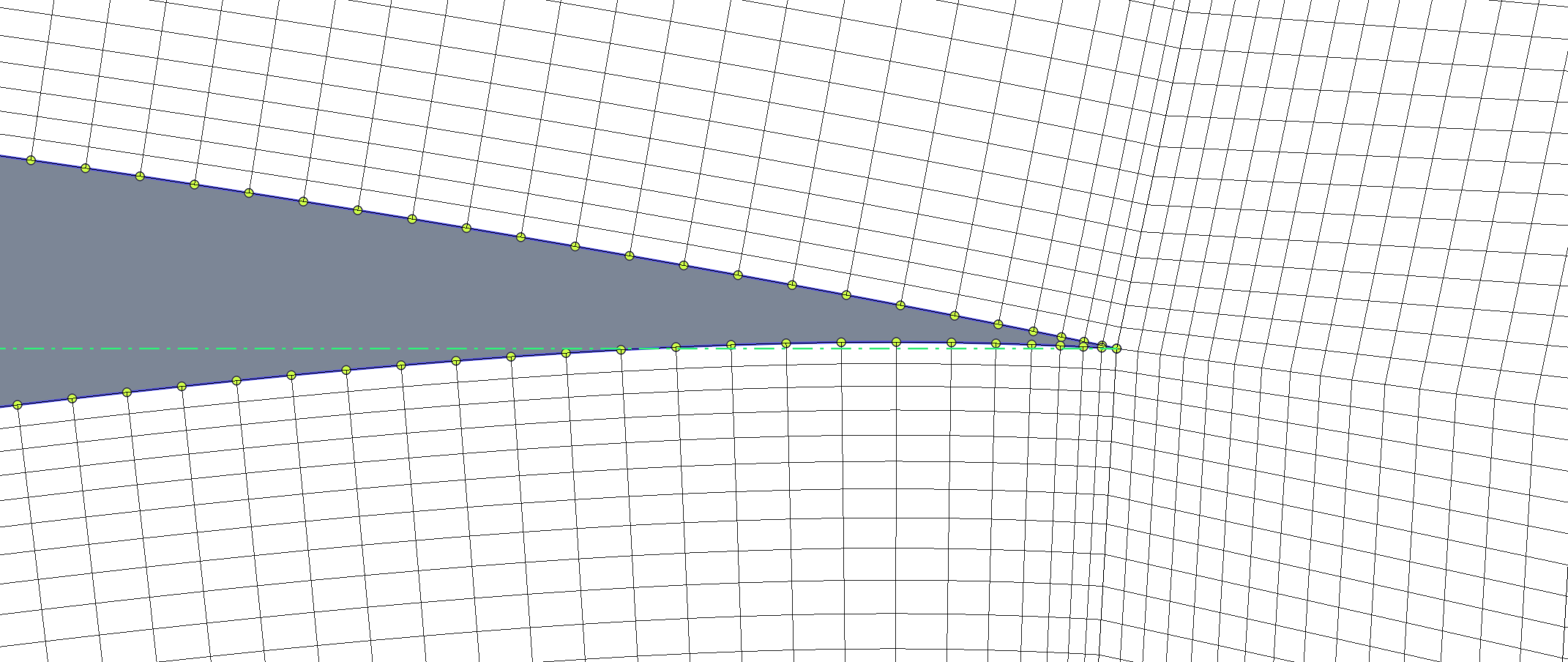
Sharp trailing-edge variant.
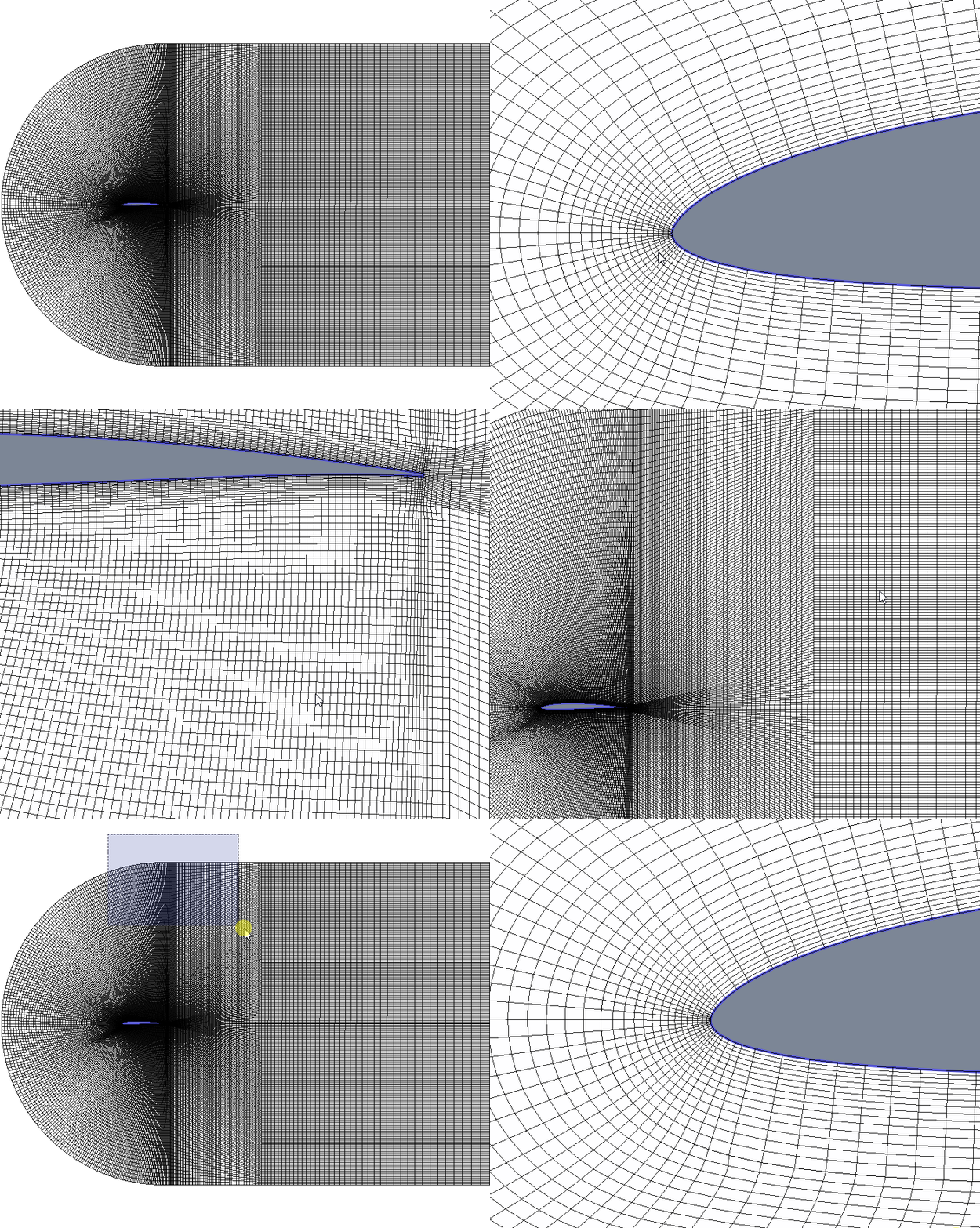
Example full mesh creation result.
54. Practical Advice
If the mesh looks wrong near the airfoil, revisit the contour preparation step first.
If the trailing-edge region is too coarse, increase the trailing-edge divisions and downstream divisions.
If the outer tunnel looks strained, try the elliptic smoother with conservative relaxation before making large geometry changes.