1. Introduction
PyAero is built around a simple idea: solver-ready meshes depend on solver-ready geometry. Many airfoil files in everyday use still come from sparse legacy point sets, and using them directly for structured meshing usually produces poor point placement around the leading edge, the trailing edge, or both. PyAero addresses that preparation step before the CFD workflow begins.
The application combines three areas of work in one desktop tool:
airfoil loading and library management
geometry preparation and contour analysis
structured mesh generation and export
2. Project Focus
PyAero currently focuses on 2D airfoil workflows. The application does not perform the CFD solve itself. Instead, it prepares contour and mesh data for downstream tools such as SU2, Gmsh, ParaView, and AVL FIRE-based workflows.
The strongest current path is:
load a raw airfoil contour
prepare a refined working contour
optionally add a finite-thickness trailing edge
generate the tunnel mesh
export one or more mesh files
3. Geometry Preparation
PyAero provides both CST and legacy B-spline based geometry preparation. In both cases, the goal is the same: create a smooth contour with a point distribution that works well for the structured boundary-layer block built around the airfoil.
The preparation step includes:
smoothing the raw contour representation
controlling the number of spline sample points
recursively refining the leading edge
explicitly refining the trailing-edge segments
deriving contour-analysis data such as curvature and leading-edge radius
4. Optional Trailing Edge Thickening
Real airfoils often need a finite trailing-edge thickness for manufacturing or structural reasons. PyAero can add a blunt trailing edge and blend it back into the prepared contour with separate upper and lower controls. This is especially useful when the mesh needs a physically meaningful trailing-edge gap instead of a sharp closure.
5. Mesh Generation
The mesh generator creates a block-structured C-type wind-tunnel mesh. The workflow is organized around four logical regions:
the near-airfoil block
the trailing-edge block
the outer tunnel block
the wake block
This makes it possible to control the near-wall spacing, trailing-edge resolution, farfield height, and wake stretching separately.
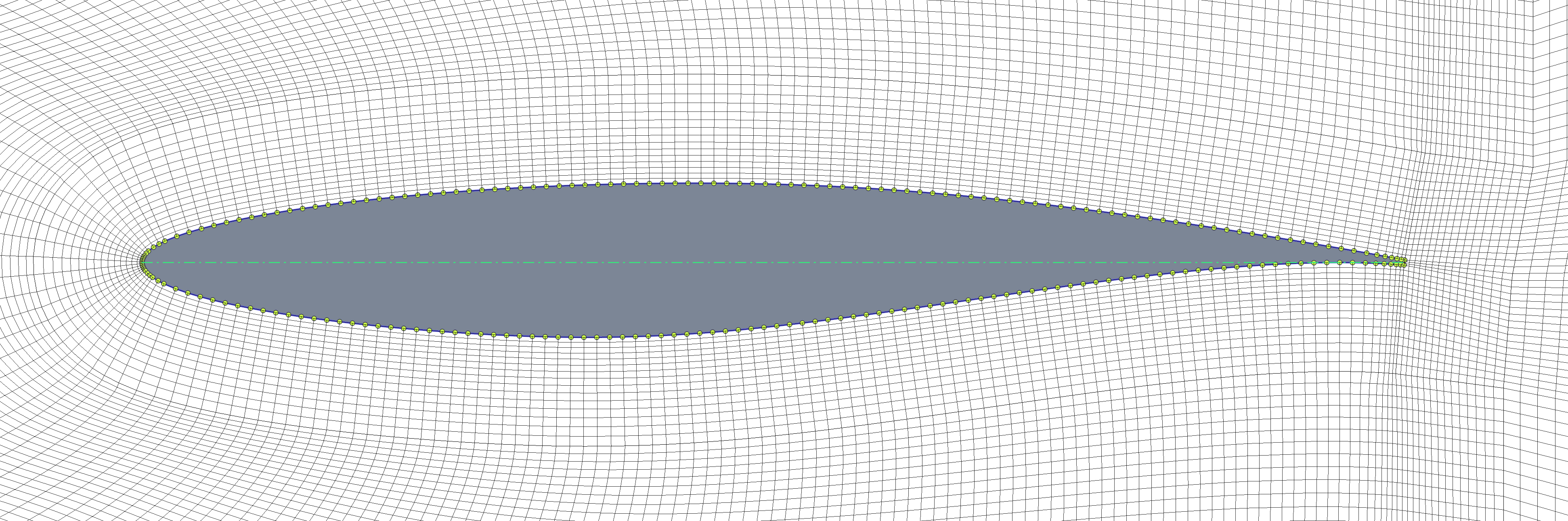
Example structured mesh around the RAE2822 airfoil.
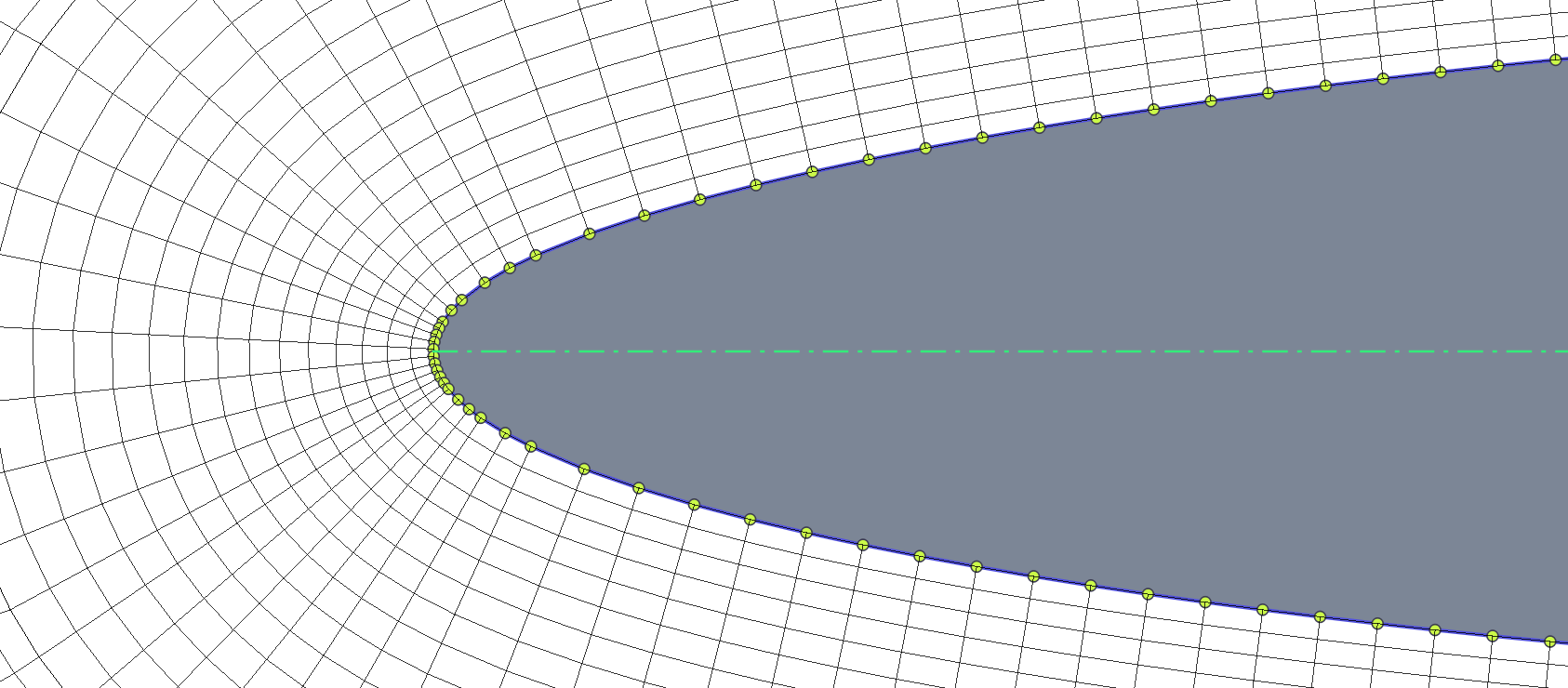
Leading-edge close-up of the structured mesh.
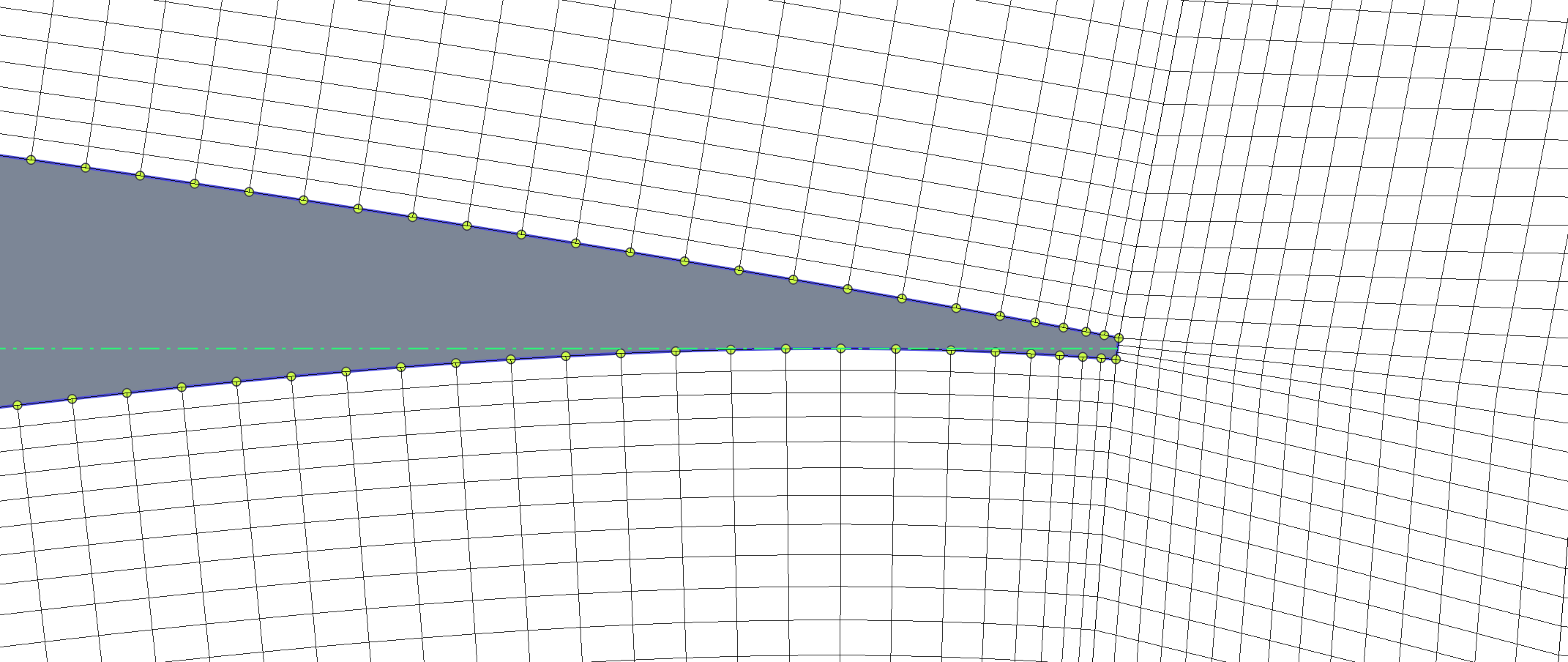
Trailing-edge close-up for a finite-thickness trailing edge.
6. Exports and Downstream Use
PyAero exports meshes to:
FLMAfor AVL FIRE workflowsSU2Gmsh.mshVTU
The export layer also carries boundary naming so the generated files can be used more directly in solver or post-processing setups.